中文 (简体)
This article provides step-by-step instructions for registering and logging into the Temporary Residence Declaration System for foreigners in Vietnam.
1. Registering an Accommodation Establishment Account
Purpose
- To successfully register an accommodation establishment account on the system.
Instructions
- Access the management portal via https://tbltkbtt.bocongan.gov.vn/.
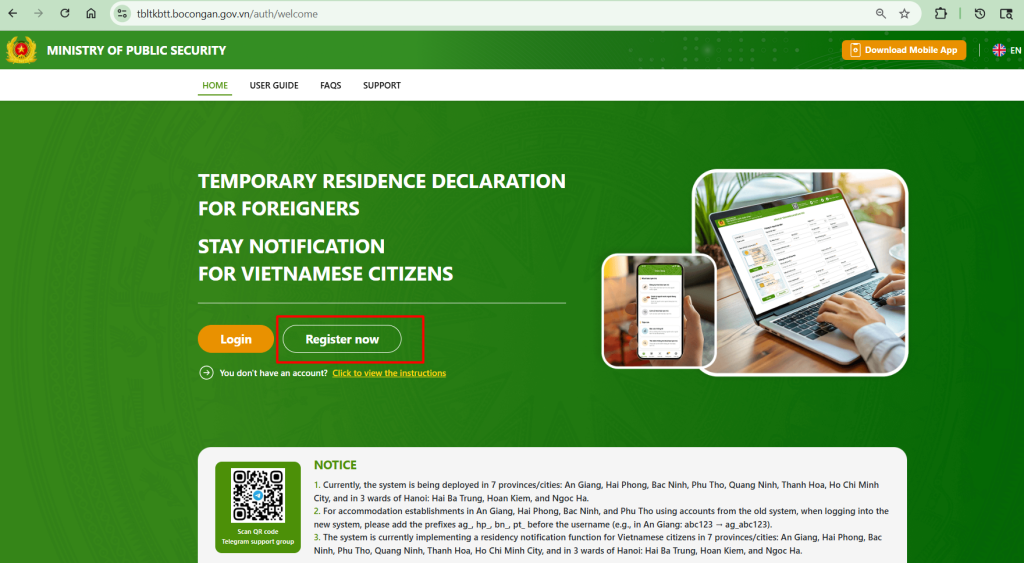
- Click the “Register now” button;
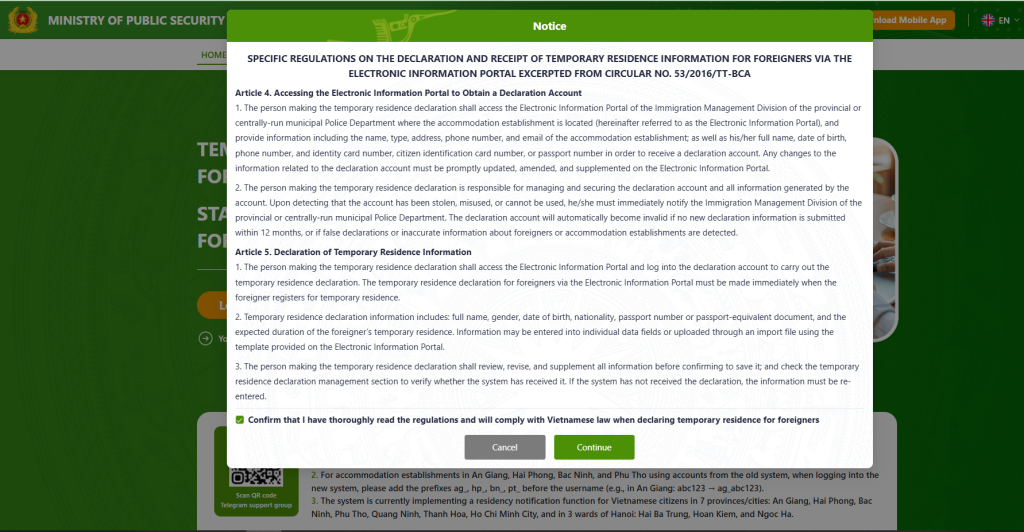
- The system will display a popup containing regulations on declaring and receiving temporary residence information for foreigners through the electronic information portal, in accordance with Circular No. 53/2016/TT-BCA;
- Read the regulations carefully, then tick the checkbox: “Confirm that I have thoroughly read the regulations and will comply with Vietnamese law when declaring temporary residence for foreigners”
- Click “Continue”.
- The system will display the Accommodation Establishment Account Registration Form. Choose “Passport” at the Document Type.
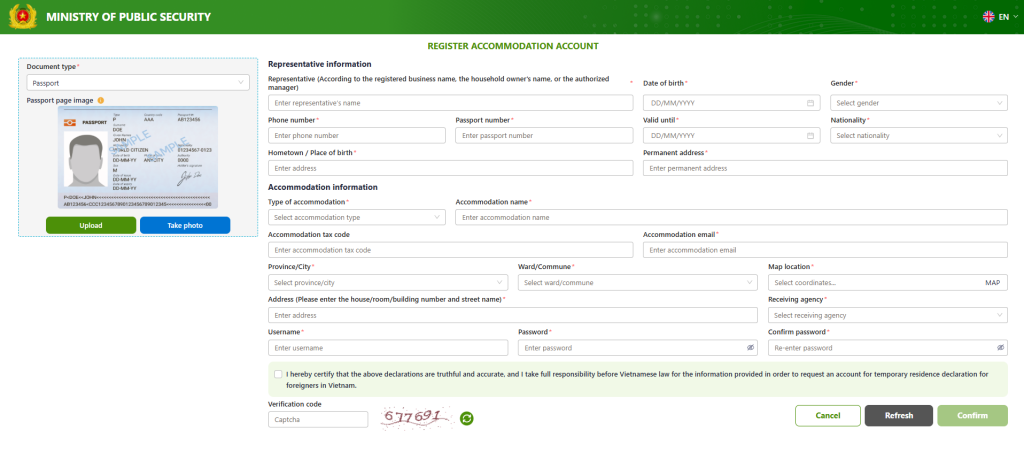
- Upload/ take photo of your Passport page image, and;
- Enter all required information in the form. Then, click “Confirm”;
- The system will validate the information and save the accommodation establishment registration details successfully.
2. First-Time Account Login
Purpose
- To successfully log into the website and access other system functions.
Instructions
- Access the management portal via https://tbltkbtt.bocongan.gov.vn/.
- Click the “Login” button.
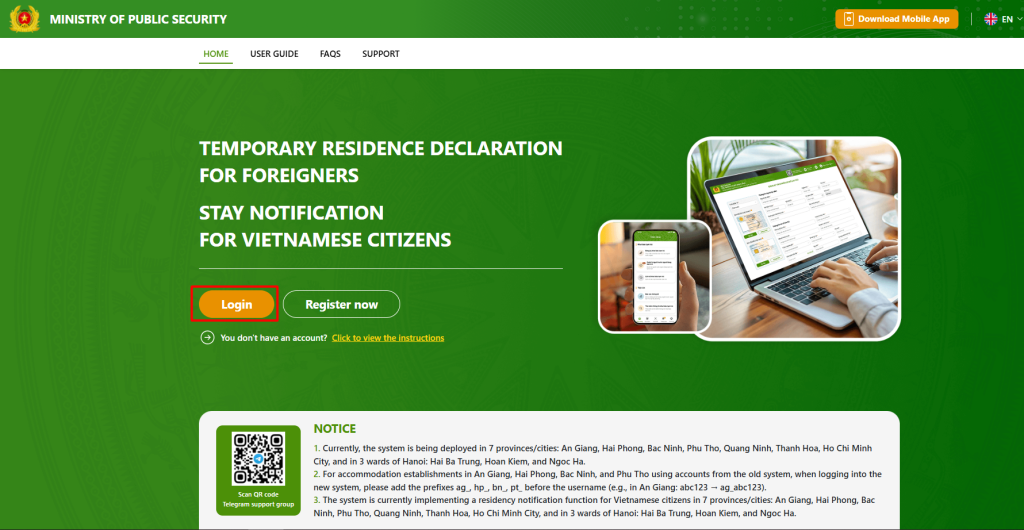
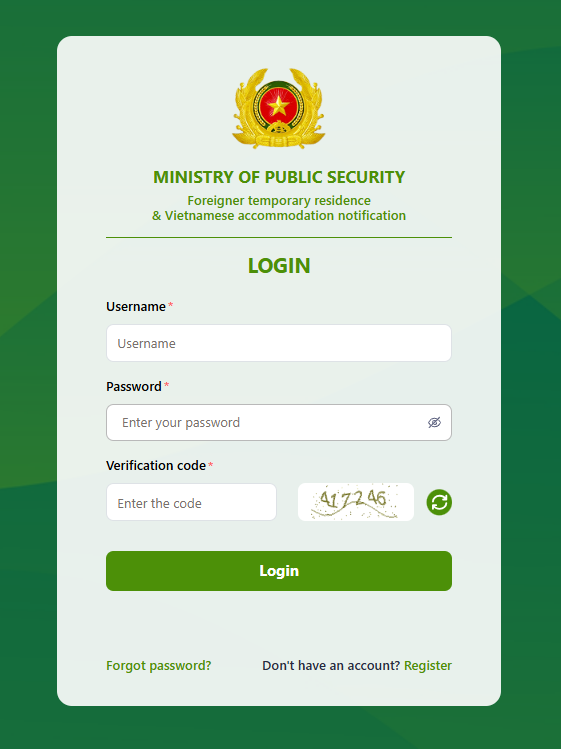
- The system will display the login screen.
- Enter the following information:
- Username
- Password
- CAPTCHA verification code
- Click “Login”.
- The system will redirect you to the authentication screen. Users download the Authenticator app in STEP 1.
- After installation, open the Authenticator app and scan the QR code displayed in STEP 2.
- Once scanned, the app will generate an authentication code (token) corresponding to your account.
- Enter the authentication code into the system and click “Confirm” to complete the verification process.
- The system will process the request successfully and redirect you to the main dashboard.
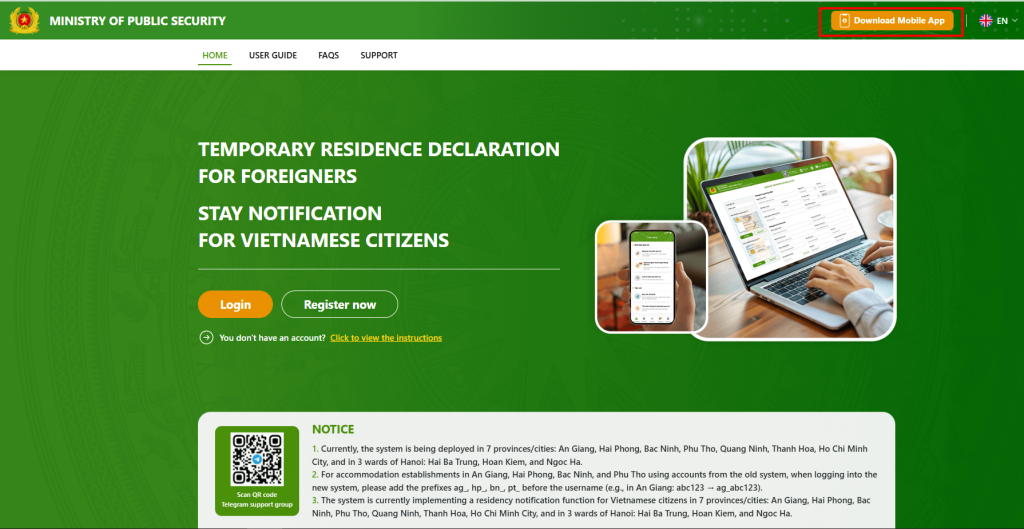
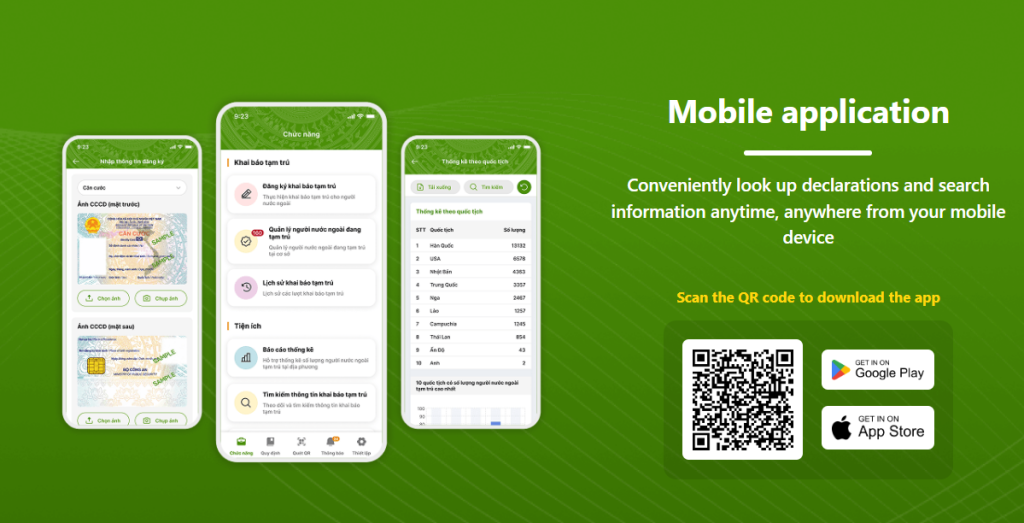
Apart from logging in the website, foreigners can also download and install an Authenticator application on mobile device by clicking Download Mobile App.
The App is available both for iOS and Android devices.
3. Login from the Second Time Onward
Purpose
- To successfully log into the website and continue using system functions.
Instructions
- Access the management portal via https://tbltkbtt.bocongan.gov.vn/.
- Click the “Login” button.
- The system will display the login screen.
- Enter the following information:
- Username
- Password
- CAPTCHA verification code
- Click “Login”.
- The system will redirect you to the authentication code entry screen.
- Open the Authenticator application on your mobile device. The app will display the authentication code (token) associated with your account.
- Enter the authentication code into the system and click “Confirm” to complete the verification process.
- The system will process the request successfully and redirect you to the main dashboard.
Notes
- Make sure you are in the country with a valid Vietnam visa/ Vietnam evisa.
- Ensure that all information entered is accurate and complete.
- Keep your login credentials and authentication application secure.
- The Authenticator application is required for two-factor authentication and enhanced account security.
- Currently, the system is being deployed in 7 provinces/cities: An Giang, Hai Phong, Bac Ninh, Phu Tho, Quang Ninh, Thanh Hoa, Ho Chi Minh City, and in 3 wards of Hanoi: Hai Ba Trung, Hoan Kiem, and Ngoc Ha.
- For Technical support: email technical_support@immigration.gov.vn
Disclaimer: While we put an effort to ensure that the provided information is correct and up-to-date, there are probably changes which we are unaware of.