中文 (简体)
What is an eSIM?
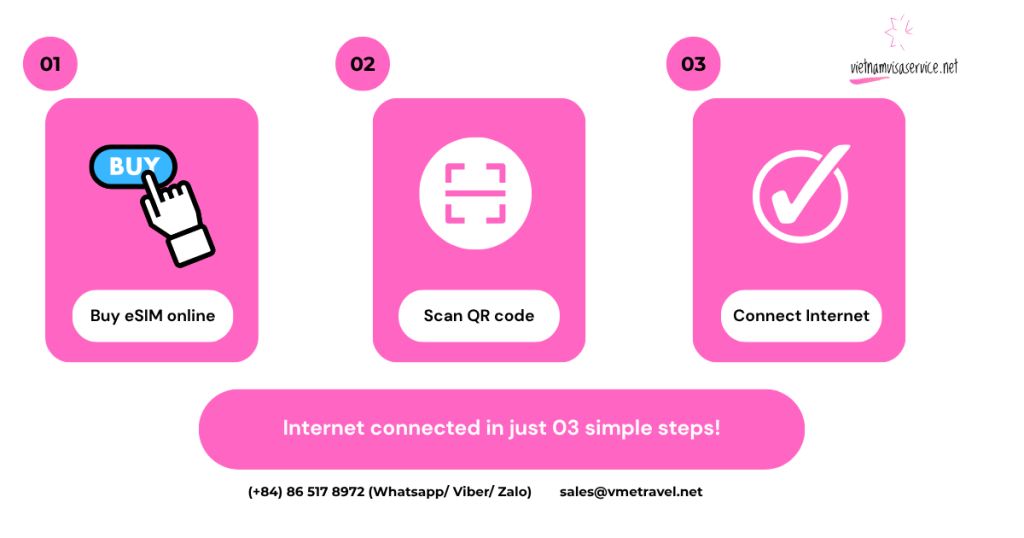
An eSIM is a digital SIM built directly into your smartphone, allowing travelers to purchase, download and activate a mobile plan without inserting a physical SIM card. It works like a traditional SIM for mobile network connectivity, while offering the added convenience of remote activation and easier switching between mobile plans.
How to check if my phone can use an eSIM?
Find out if your phone supports eSIM technology with our full updated list of eSIM compatible phones and supported devices (tablets, smartwatches and laptops).
In this list, you will know:
- Which iPhones support eSIM;
- Which Android phones support eSIM (including Samsung, Google Pixel, and others);
- Which tablets and laptops support eSIM;
Apple (iOS) eSIM Compatible Phones & Devices (iPhone, iPad)
Below are common iPhone and iPad models that support eSIM. Compatibility may vary by model, country/region and carrier.
iPhones with eSIM
- iPhone 17
- iPhone 17 Pro
- iPhone 17 Pro Max
- iPhone Air
- iPhone 16
- iPhone 16 Plus
- iPhone 16 Pro
- iPhone 16 Pro Max
- iPhone 15
- iPhone 15 Plus
- iPhone 15 Pro
- iPhone 15 Pro Max
- iPhone 14
- iPhone 14 Plus
- iPhone 14 Pro
- iPhone 14 Pro Max
- iPhone 13
- iPhone 13 Pro
- iPhone 13 Pro Max
- iPhone 12
- iPhone 12 Pro
- iPhone 12 Pro Max
👉 Notes: eSIM compatibility may vary by country or region. In particular, iPhones sold in mainland China, Hong Kong and Macau may have different SIM configurations from models sold elsewhere. Always check your exact iPhone model and region before purchasing an eSIM.
iPads with eSIM (Cellular Models)
- iPad Air (4th generation)
- iPad Air (5th generation)
- iPad Pro 11-inch (4th generation)
- iPad Pro 12.9-inch (4th generation)
- iPad Pro 12.9-inch (5th generation)
- iPad Pro 12.9-inch (6th generation)
- iPad (7th generation)
- iPad (8th generation)
- iPad (9th generation)
- iPad (10th generation)
- iPad Mini (5th generation)
- iPad Mini (6th generation)
👉 Note: Only iPads with WiFi + Cellular / 4G connectivity features support eSIM.
List of Samsung eSIM Compatible Phones
Below are common Samsung Galaxy models that support eSIM. Please note that availability may vary depending on the country of origin, model and carrier.
- Samsung Galaxy S25, S25+, S25 Ultra, S25 FE
- Samsung Galaxy S24, S24+, S24 Ultra, S24 FE
- Samsung Galaxy S23, S23+, S23 Ultra, S23 FE*
- Samsung Galaxy S22, S22+, S22 Ultra
- Samsung Galaxy S21, S21+ 5G, S21+ Ultra 5G
- Samsung Galaxy S20, S20+, S20+ 5G, S20 Ultra, S20 Ultra 5G
- Samsung Galaxy Note 20, Note 20 Ultra 5G
- Samsung Galaxy Fold, Z Fold2 5G, Z Fold3 5G, Z Fold4, Z Fold5 5G
- Samsung Galaxy Z Flip, Z Flip3 5G, Z Flip4, Z Flip5 5G
- Samsung Galaxy A55 5G
- Samsung Galaxy A35
List of Google Pixel eSIM Compatible Phones
- Google Pixel 4, 4a, 4 XL
- Google Pixel 5, 5a
- Google Pixel 6, 6a, 6 Pro
- Google Pixel 7, 7a, 7 Pro
- Google Pixel 8, 8a, 8 Pro
- Google Pixel Fold
- Google Pixel 9, 9 Pro, 9 Pro XL
- Google Pixel 10 series
List of Huawei eSIM Compatible phones
- Huawei P40
- Huawei P40 Pro
- Huawei Mate 40 Pro
- Huawei Pura 70 Pro
👉 Note: The Huawei P40 Pro+ and P50 Pro are NOT compatible with eSIM.
List of Oppo eSIM Compatible phones
- Oppo Reno 6 Pro 5G
- Oppo Reno 9A
- Oppo Find X5
- Oppo Find X5 Pro
- Oppo A55s 5G
- Find N2 Flip
- Oppo Find N3
- Oppo Find N3 Flip
- Oppo Find X8
- Oppo Find X8 Pro
List of Xiaomi eSIM Compatible Phones
- Xiaomi 12T Pro
- Xiaomi 13, 13 Lite, 13 Pro, 13T, 13T Pro
- Xiaomi 14, 14 Pro
- Xiaomi Blackshark 3
- Xiaomi Redmi Note 13 Pro+
- Xiaomi Redmi Note 14 Pro, 14 Pro+
- Xiaomi Poco X7
List of Sony eSIM Compatible Phones
- Sony Xperia 10 III Lite
- Sony Xperia 10 IV
- Sony Xperia 10V
List of Motorola eSIM Compatible phones
- Motorola Razr 5G
- Motorola Razr 40, 40 Ultra
- Motorola Razr+
- Motorola Edge 2022, 2023
- Motorola Edge+ (2023)
- Motorola Edge 40, 40 Pro, 40 Neo
- Motorola Edge 50 Pro, 50 Ultra, 50 Fusion
- Motorola Moto G Power 5G (2024)
- Motorola G52J 5G, 5G II
- Motorola G53J 5G
- Moto G54 5G
- Motorola G84
- Motorola G34, 35
- Motorola Moto G53, G54
- Motorola Razr 2024, Razr+ 2024
- Motorola Moto G Stylus 5G 2024
List of Rakuten eSIM Compatible Phones
- Rakuten Mini
- Rakuten Big
- Rakuten Big-S
- Rakuten Hand,
- Rakuten Hand 5G
Other eSIM Compatible Phones
- Nokia XR21
- Nokia X30
- Nokia G60 5G
- Vivo X90 Pro
- Vivo X100 Pro
eSIM Laptops and Tablets
eSIM laptops
Currently, only Windows eSIM laptops are available, Apple is yet to release a MacBook with an eSIM.
Take a look at the list of laptops with eSIM capacity.
Acer eSIM Laptops
- Acer Swift 3
- Acer Swift 7
- Acer TravelMate P2
- Acer TravelMate Spin P4
- Acer TravelMate P6
ASUS eSIM Laptops
- ASUS Mini Transformer T103HAF
- ASUS NovaGo TP370QL
- ASUS VivoBook Flip 14 TP401NA
Dell eSIM Laptops
- Dell Latitude 7210 2-in-1
- Dell Latitude 9410
- Dell Latitude 7310
- Dell Latitude 7410
- Dell Latitude 9510
- Dell Latitude 5410
- Dell Latitude 5411
- Dell Latitude 5511
HP eSIM Laptops
- HP Elitebook G5
- HP Probook G5
- HP Zbook G5
- HP Spectre Folio 13
Lenovo eSIM Laptops
- ThinkPad X1 Titanium Yoga 2 in 1
- ThinkPad X1 Carbon Gen 9
- ThinkPad X1 Fold
- ThinkPad X1 Nano
- ThinkPad X12 Detachable
- Lenovo Flex 5G
- Lenovo Yoga C630
- Lenovo Miix 630
- Lenovo Yoga 520
- Lenovo Yoga 720 (2-in-1 models)
eSIM tablets
We have the following tablets which support an eSIM for Vietnam, and many other countries:
- Microsoft Surface Pro (5th and 7th Gen onwards)
- Microsoft Surface Pro X (5th Gen onwards)
How many eSIM can be used on a eSIM-compatible device?
The number of eSIM profiles that can be stored and the number that can be active at the same time depend on your device model. Many modern smartphones can store multiple eSIM profiles, and some newer devices support two active eSIMs simultaneously.
The figures below are for reference only and may vary by device version, region and software update.
| Manufacturer | Model | Maximum number of eSIMs |
| Apple | iPhone XR | 20 |
| Apple | iPhone XS | 20 |
| Apple | iPhone XS Max | 20 |
| Apple | iPhone 11 | 20 |
| Apple | iPhone 11 Pro | 20 |
| Apple | iPhone 11 Pro Max | 20 |
| Apple | iPhone SE (2020) | 20 |
| Apple | iPhone 12 Mini | 20 |
| Apple | iPhone 12 | 20 |
| Apple | iPhone 12 Pro | 20 |
| Apple | iPhone 12 Pro Max | 20 |
| Apple | iPhone 13 mini | 20 |
| Apple | iPhone 13 | 20 |
| Apple | iPhone 13 Pro | 20 |
| Apple | iPhone 13 Pro Max | 20 |
| Apple | iPhone SE (2022) | 20 |
| Apple | iPhone 14 | 20 |
| Apple | iPhone 14 Pro | 20 |
| Apple | iPhone 14 Pro Max | 20 |
| Apple | iPad Pro (2018 and onwards) | 20 |
| Apple | iPad Air | 20 |
| Apple | iPad | 20 |
| Apple | Watch series 3 | 01 |
| Apple | Watch series 4 | 01 |
| Apple | Watch series 5 | 01 |
| Apple | Watch series 6 | 01 |
| Apple | Watch SE | 01 |
| Pixel 3 | 07 | |
| Pixel 3a | 07 | |
| Pixel 4 | 07 | |
| Pixel 4a | 07 | |
| Pixel 5 | 07 | |
| Pixel 6 | 07 | |
| Pixel 6a | 07 | |
| Pixel 6 Pro | 07 | |
| Huawei | P40 | 05 |
| Huawei | P40 Pro (not including the P40 Pro +) | 05 |
| Huawei | Mate 40 Pro | 05 |
| Motorola | Razr 2019 | 05 |
| Motorola | Razr 5G | 05 |
| Samsung | Galaxy Fold | 07 |
| Samsung | Galaxy Fold 3 | 07 |
| Samsung | Galaxy Z Fold 2 5G | 07 |
| Samsung | Galaxy Z Flip | 07 |
| Samsung | Galaxy Z Flip 5G | 07 |
| Samsung | Galaxy Z Fold2 5G | 07 |
| Samsung | Galaxy S20 | 07 |
| Samsung | Galaxy S21 | 07 |
| Samsung | Galaxy S21+ 5G | 07 |
| Samsung | Galaxy S21 Ultra 5G | 07 |
| Samsung | Galaxy S22 | 07 |
| Samsung | Galaxy S22+ | 07 |
| Samsung | Galaxy S22 Ultra | 07 |
| Samsung | Galaxy S23 | 07 |
| Samsung | Galaxy Note 20 Ultra 5G | 07 |
| Samsung | Galaxy Note 20 | 07 |
| Samsung | Galaxy Z Fold3 5G | 07 |
| Nuu Mobile | X5 | 05 |
| Planet Computers | Gemini PDA | 05 |
| Rakuten Mobile | Rakuten Mini | 05 |
| Rakuten Mobile | Big-S | 05 |
| Rakuten Mobile | Big | 05 |
| Oppo | Find X3 Pro | 05 |
| Oppo | Reno 5 A | 05 |
| Oppo | Reno6 Pro 5G | 05 |
| Oppo | Find X5 | 05 |
| Oppo | Find X5 Pro | 05 |
| Oppo | A55s | 05 |
| Sony | Xperia 10 III Lite | 05 |
| Sony | Xperia 1 IV | 05 |
| Honor | Magic 4 Pro | 05 |
How to check if my phone can use eSIM?
To use eSIM, your phone must be carrier-unlocked and support eSIM technology that you can check in your phone’s Settings menu.
How to check if phone is carrier-unlocked?
To check if your phone is carrier-unlocked, you can use the following 02 ways.
No. 1:
- Switch off your phone;
- Remove the physical SIM card from your phone;
- Replace the physical SIM card with another physical SIM card from a different mobile network operator;
- If you see the carrier’s name at the top of your phone screen, your phone is likely unlocked;
- Make a call for sure. If the call connects, your phone is unlocked;
No. 2:
- Go to Settings (in your phone) > General > About
- Scroll down to the section named “Carrier Lock”
- If there is “No SIM restrictions”, you phone is unlocked
How to check if device supports eSIM?
How to check if your iOS device supports eSIM?
To check if your iPhone supports eSIM:
- Go to Settings> General > About
- Scroll down and look for “Carrier Lock” field
- If your device is unlocked, you will see “No SIM restrictions”
- Scroll down to find the field “Available SIM” (iOS 15 and later, or “Digital SIM” (older iOS versions)
- If your phone supports eSIMs, there will be a 15-digit IMEI number
👉 Note:
- Depending on the capability of your device, if it can accommodate more than 01 SIM, you may need to temporarily disable or remove one SIM before downloading the new eSIM.
- Most phones produced from 2018 till now support eSIM. However, compatibility can vary based on your location and mobile carrier.
How to check if your Android device supports eSIM?
Samsung devices
- Go to Settings > Connections > SIM card manager
- If there is Add Mobile plan/Add eSIM, your phone supports eSIM
Google Pixel devices
- Go to Settings > Network & Internet
- Select “+” next to SIMs
- Go to Connect to mobile network
- If there is “Download a SIM instead”, your phone is eSIM-supported
Huawei devices
Not many Huawei models are eSIM compatible. So, take the following steps to make sure that your Huawei phone supports eSIM.
- Go to Settings > Mobile Networks > SIM management
- See the submenu to see option to Add SIM/eSIM
Xiaomi devices
Many recent Xiaomi models support eSIM, although compatibility varies by model, country/region and carrier.
Motorola devices
For Motorola devices, to check the compatibility of your phone with eSIM:
- Go to Settings > Internet & Network > Mobile network
- Go to Advanced > Carrier
- Select Add carrier option > Next
- If you see the screen for screening a QR code, your phone supports eSIM.
Vietnam eSIM plans
Check the following table for Vietnam eSIM plans available.
| Data (4G/5G) | Days of usage | Main features | Notes |
| 2GB/day
(Vinaphone) |
07 days |
|
|
| 2GB/day
(Vinaphone) |
10 days |
|
|
| 3GB/day
(MobiFone) |
10 days |
|
Stop connection after running out of high-speed data |
| 3GB/day
(MobiFone) |
15 days |
|
|
| 3GB/day
(MobiFone) |
30 days |
|
Stop connection after running out of high-speed data |
| 5GB/day
(Vinaphone) |
15 day |
|
|
| 6GB/day
(MobiFone) |
30 days |
|
|
| 15GB
(MobiFone) |
07 days |
|
Stop connection after running out of high-speed data |
Need an eSIM? Contact us:
- Hotline/ WhatsApp/ Zalo: +84 86 517 8972
- Email: sales@vmetravel.net
Disclaimer: Plan features may be changed by local network providers. While we make every effort to keep the information above accurate and up to date, available plans, data allowances and other features may change without prior notice.